
PoE vs WiFi Camera – Which Connection Fits Each Part of Your Home?
PoE usually fits permanent camera positions with an accessible cable route, while WiFi suits finished walls and awkward installation spots where Ethernet would be difficult to run. The right answer can change between the garage and a side gate, even when those areas are only a short walk apart. We’ll start with how to map out cable routes and test baseline conditions, then go through the most common camera locations to help you pick the right fit for each.
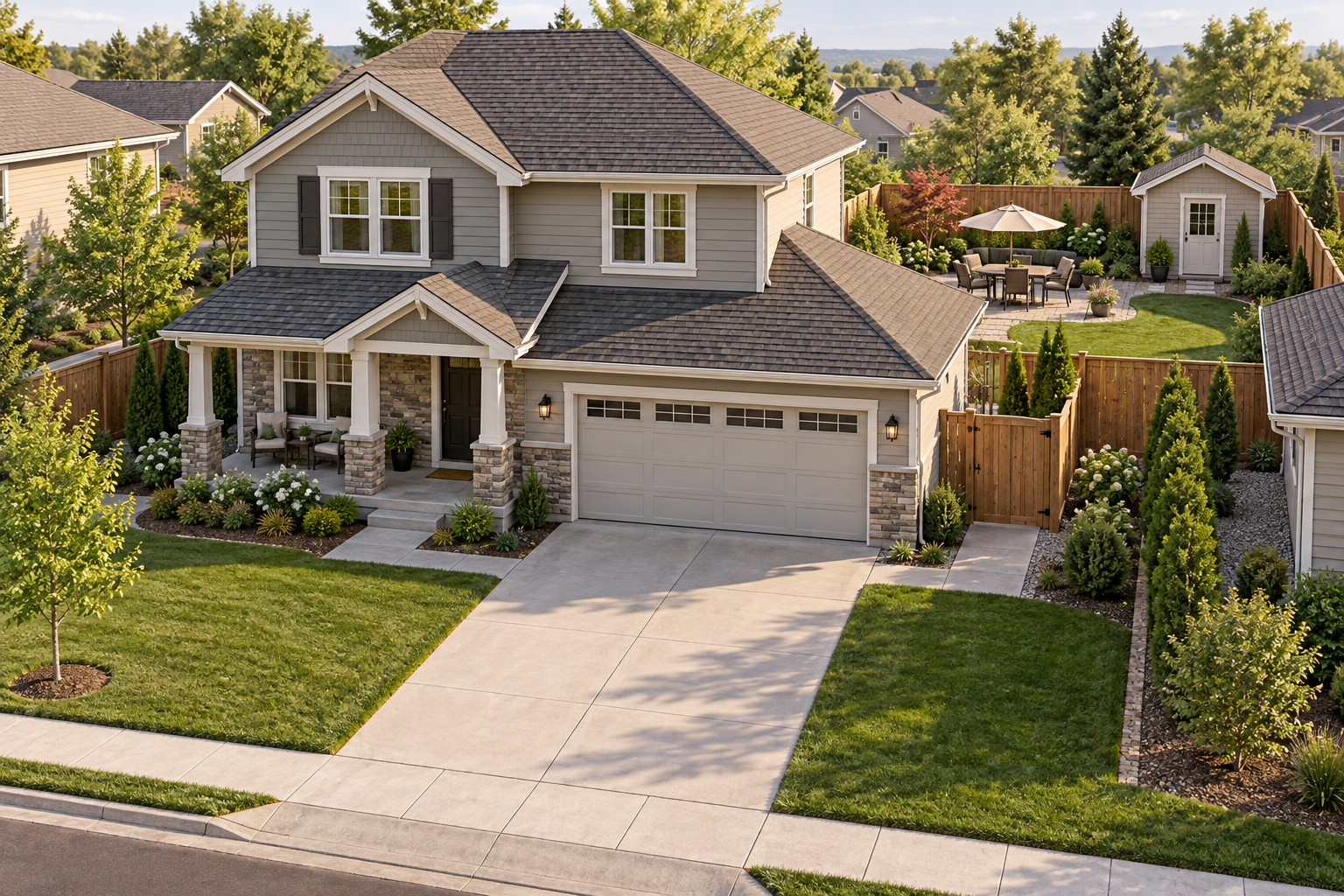
Alt: American home showing different installation zones
Walk the property before choosing a connection
Start outside with the view you need. A camera watching packages beside the front door has a different job from one overlooking parked vehicles or a gate behind the house. For each position, trace a possible cable route back indoors. Check whether an attic, garage, or existing conduit makes that route accessible.
Keep power separate from the WiFi question. WiFi describes the network connection, and some WiFi cameras still need an outlet and power cord. Battery models avoid that cord but add charging considerations. Solar charging also depends on where the panel can receive sunlight.
Use this table as a starting point, then check the actual conditions at each location.
| Home area | When PoE deserves a closer look | When WiFi deserves a closer look |
| Front porch | Accessible wiring behind the installation position | Finished entryway with a dependable wireless connection |
| Driveway | Permanent view with a cable route through the garage | Difficult cable route and a suitable power arrangement |
| Attached garage | Exposed framing or accessible ceiling space | Finished interior with nearby power and tested signal reception |
| Backyard or side gate | Reachable exterior wall and a permanent camera position | Running Ethernet requires substantial work |
| Detached building | Planned network connection between buildings | Reliable wireless coverage already reaches the intended position |
| Rental property | Existing permitted wiring | Permitted removable installation and practical power access |
Front porch placement starts with the doorway
At a covered porch, the easiest installation point may give you mostly the tops of visitors’ heads. Check the view before choosing the connection. The doorway, package area, and approach path may require a position lower or farther to the side than the nearest roof corner.
PoE makes sense when a cable can reach that position through accessible space. A suitable PoE camera receives power and data through the Ethernet cable, so you don’t need a separate outlet beside it. The cable still needs a suitable entry point and protected connections.
Finished brickwork or decorative panels can change the decision. A WiFi camera may avoid a network cable across the entryway, provided you can supply power or reach the battery for charging. A deeply shaded porch also deserves caution with solar-powered models because the panel may need a separate, sunnier position.
Driveways reward a permanent connection when the route is practical
A garage overlooking the driveway often gives PoE a practical route through the ceiling to a fixed exterior position. That setup is especially useful when the driveway camera will remain in place for years.
Recording requirements matter here. If you want a continuous timeline of activity around parked cars, choose a camera and recorder that explicitly supports continuous recording. A PoE label alone doesn’t establish the recording schedule, storage capacity, or retention period.
A WiFi model can still suit a driveway where cable access is difficult. Check its power source and recording behavior before choosing it. A battery camera that saves motion-triggered clips serves a different purpose from a continuously powered camera configured to record throughout the day.
Distance needs measurement too. Standard Ethernet runs have a 100-meter, approximately 328-foot limit, as described in Axis’s PoE extender documentation. Measure the full routed cable length, including the path through the building. A long driveway or distant installation post may require additional network equipment rather than a longer cable alone.
An attached garage can make wiring easier
An unfinished garage is worth checking before you rule out PoE. Exposed framing and accessible overhead space can make a PoE security camera easier to install there than beside a finished room. If several cameras will connect to a network video recorder, plan where the cables will terminate.
In a finished garage, nearby power may make WiFi practical. Test reception with the garage door open and closed, because a metal door can change the result.
Backyard and side-gate cameras need separate checks
A backyard often contains several smaller areas worth watching. The patio door may sit close to the house network, while a side gate is around a brick corner and the shed is beyond the lawn. One connection choice may not suit all of them.
For a permanent view from the rear wall, PoE is worth considering when there’s an accessible route through the house. WiFi becomes more appealing at a side passage where Ethernet would have to cross finished walls or follow an exposed route around the building.
At a hard-to-wire side gate with dependable WiFi and a sunny panel location, the eufy SoloCam S340 is one option to consider. Its battery-powered design and removable solar panel allow separate camera and panel placement. The camera also offers dual lenses and pan-and-tilt movement. On eufy’s product page, maker Darbin Orvar’s featured commentary emphasizes sunlight as a placement consideration for solar use.
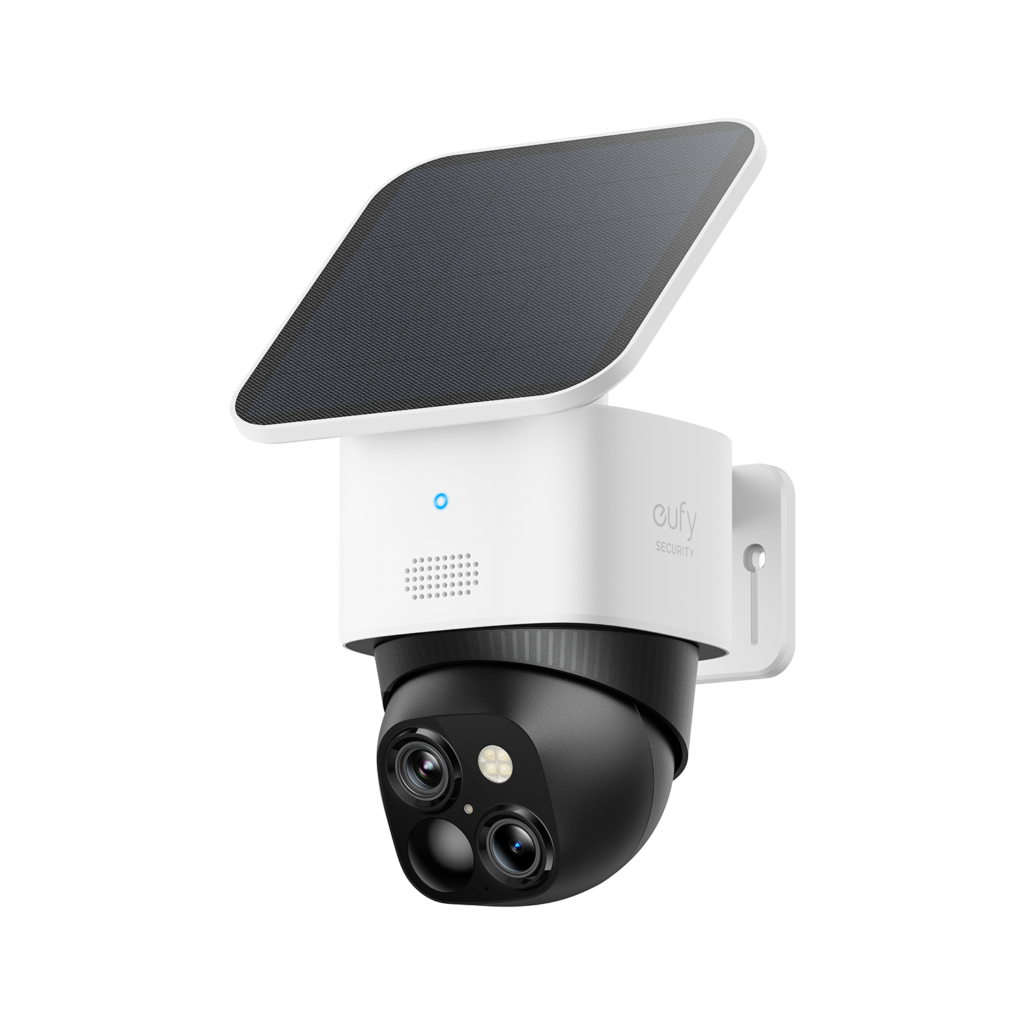
Alt: eufy SoloCam S340
That flexibility has limits. According to the same product page, the S340 does not support 24/7 continuous recording, even when connected to HomeBase 3. Consider it where motion-triggered footage meets your needs. Pan-and-tilt movement also doesn’t give a camera a view through fences or around solid corners.
Before fastening, check the intended gate view and panel position separately. Sunlight on the patio doesn’t establish that a panel beside the gate will receive enough sun. Keep access practical for cleaning and any charging the installation may require.
Make the PoE camera vs WiFi camera decision by zone
A mixed setup can be sensible. PoE may serve the driveway and garage while WiFi handles an awkward side gate. Before buying, check whether the selected cameras share a supported app or recorder, since connection type alone doesn’t establish compatibility.
When browsing eufy security cameras, compare each candidate against the job assigned to its location. Check recording mode and power requirements alongside the connection type. For future expansion, consider spare PoE ports and power capacity, recorder limits, and the wireless network’s ability to support additional cameras.
Separate an internet outage from a local network failure. Supported local recording may continue without internet access, while remote viewing or notifications may become unavailable. A power outage creates another set of dependencies, including the camera’s power source and any router or recorder it needs.
Conclusion
PoE is a practical choice for permanent positions with accessible cable routes. WiFi can suit hard-to-wire areas, provided reception and power meet the needs of that location. A mixed setup may work well, but recording modes, maintenance access, and expansion limits still need checking for each camera. The next step is a property walk with a short list of camera positions. Trace the cable routes, test wireless reception, and decide where continuous recording matters. Choose the connection for each position only after those checks, with enough access left for the maintenance that follows installation.

Emily Claire is a dedicated writer and English grammar specialist who helps readers improve their language skills with clarity and confidence. At Grammar Schooling, she turns complex grammar rules into clear, engaging lessons that make learning enjoyable. Her passion lies in empowering learners worldwide to communicate effectively and express themselves with ease.