
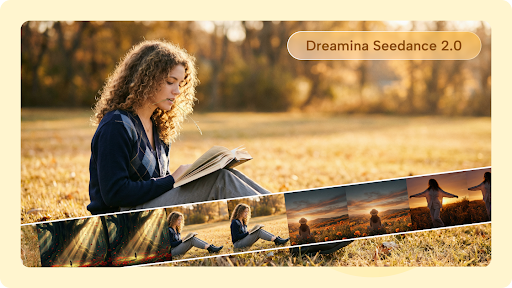
Making a short AI-generated clip can be relatively simple. Creating a collection of scenes that feels like one connected piece is a different challenge. Once a project becomes longer, small inconsistencies become easier to notice. A character may look slightly different between scenes. The setting can change unexpectedly. The tone may shift, or a sequence may move from one moment to another without enough connection.
These challenges do not mean longer AI video projects are impractical. They simply require a more organized approach. Instead of generating scenes randomly and trying to connect them afterward, creators can plan the project as a collection of related visual moments.
Begin with a visual rulebook
Before generating multiple scenes, decide what should remain consistent. This could include:
- Character appearance
- Clothing and important accessories
- Main locations
- Time of day
- Lighting approach
- General visual mood
- Camera style
These decisions do not need to become a complicated technical document. Even a simple page of notes can help. For example, if a story follows the same character throughout one day, recording their clothing and appearance before generating scenes with Seedance 2.5 gives the creator something to check against later. Consistency becomes much easier when there is a reference point.
Divide the project into chapters
A longer video becomes easier to manage when it is divided into sections. Instead of thinking about a ten-minute project as one enormous task, creators can identify several smaller chapters. Each chapter can have its own purpose while still contributing to the larger story.
A travel video might have sections for arrival, exploration, a central experience, and departure. A fictional story could move through introduction, conflict, turning point, and resolution. This structure also makes revision easier. If one section is weak, it can be improved without rebuilding the entire project.
Give every scene a specific purpose
A scene should contribute something. It might introduce a character, reveal information, change the location, create tension, or move the story forward. When several scenes perform exactly the same job, the project can feel repetitive.
Before generating a shot, ask what the audience is supposed to learn or experience during that moment. This simple question can prevent a common problem in longer AI-generated videos: attractive visuals that do not actually advance the content.
Where Seedance 2.5 can fit
Seedance 2.5 is relevant to creators interested in developing more ambitious AI video projects because newer generation capabilities can give them additional options for building detailed visual sequences. Rather than relying on the idea that one generation will solve an entire project, creators can use the technology as part of a structured production process.
The goal is to maintain control over the project while using AI to handle parts of the visual experimentation. That distinction is important. A more capable generation provides possibilities, but the creator still needs to decide what belongs in the story.
Keep a continuity checklist
When a project contains many scenes, memory alone is not enough. A simple continuity checklist can prevent avoidable mistakes. For each scene, record details such as:
- Character: appearance, clothing, position
- Location: setting, important objects, environment
- Action: what happens and in what order
- Visual tone: lighting, atmosphere, general style
- Connection: how the scene relates to the previous and next shots
This makes it easier to identify inconsistencies before they become difficult to fix.
Use earlier generations as references
An interesting part of iterative creation is that an earlier successful result can become useful information for later scenes. Suppose a creator produces a character design that works particularly well. Instead of starting from zero in every subsequent scene, they can use the established visual characteristics as a reference point where the workflow supports it. The same idea applies to locations and recurring objects. This creates a visual vocabulary for the project.
Don’t make every scene equally complex
Longer projects benefit from contrast. A sequence containing constant action, elaborate camera movement, and numerous visual elements can become exhausting to watch. A quieter scene can provide breathing room before the next major event.
Complexity should therefore follow the story. An important turning point may deserve more visual detail. A transition between locations might work better as a simple shot. This also makes production more manageable because not every scene requires the same level of creative effort.
What earlier models can still teach creators
Newer systems do not make earlier approaches irrelevant. Seedance 2.0 can still be useful as a reference point for understanding how AI video workflows have developed and how creators can think about generating individual scenes rather than expecting an entire production to emerge in one step.
The broader lesson is that AI video creation is evolving continuously. Techniques that work across different generations, clear direction, reference material, continuity planning, and human review remain valuable regardless of the specific model being used.

Review the project as a whole
After creating individual scenes, watch the complete sequence from beginning to end. Do not stop every few seconds to inspect technical details. Instead, experience it as an audience member.
- Does the story make sense?
- Does the character remain recognizable?
- Are transitions understandable?
- Does the pacing become tiring?
- Does the visual style feel consistent?
This whole-project review can reveal problems that are invisible when scenes are examined individually. Creators who want to experiment with AI-generated video while exploring different visual possibilities can use Dreamina as part of their creative workflow.
Save decisions as you work
Another useful habit is documenting what works. If a particular approach produces a strong character, environment, or visual style, keep notes about it. If a certain type of instruction consistently creates unwanted results, record that too. Over time, this creates a personal workflow instead of requiring the creator to rediscover the same lessons for every project.
Conclusion
Longer AI video projects become easier to manage when creators stop treating them as one enormous generation task. Breaking the work into chapters, defining visual rules, tracking continuity, controlling scene complexity, and reviewing the final sequence as a whole can provide much greater creative control. Seedance 2.5 offers another step in the continuing development of AI video generation, while earlier systems such as Seedance 2.0 help illustrate how quickly this creative space has evolved. Ultimately, technology is only one part of the process. A well-planned project gives every generated scene a reason to exist, allowing AI to support the story without taking control away from the person creating it.
FAQs
Why is continuity difficult in longer AI-generated videos?
More scenes create more opportunities for characters, environments, lighting, objects, or visual style to change unexpectedly. Planning and consistent references can reduce these problems.
How should a creator organize a long AI video project?
Dividing it into chapters or smaller sections makes the project easier to generate, review, revise, and connect.
Does every scene need the same level of visual complexity?
No. Varying complexity can improve pacing and give important moments greater emphasis.
What should be included in a continuity checklist?
Useful details include character appearance, clothing, locations, important objects, lighting, visual tone, actions, and the relationship between neighboring scenes.
Why should the completed sequence be watched from beginning to end?
Individual scenes can work well while the overall project still feels disconnected. A full viewing helps reveal pacing, continuity, and storytelling problems that may otherwise be missed.
