
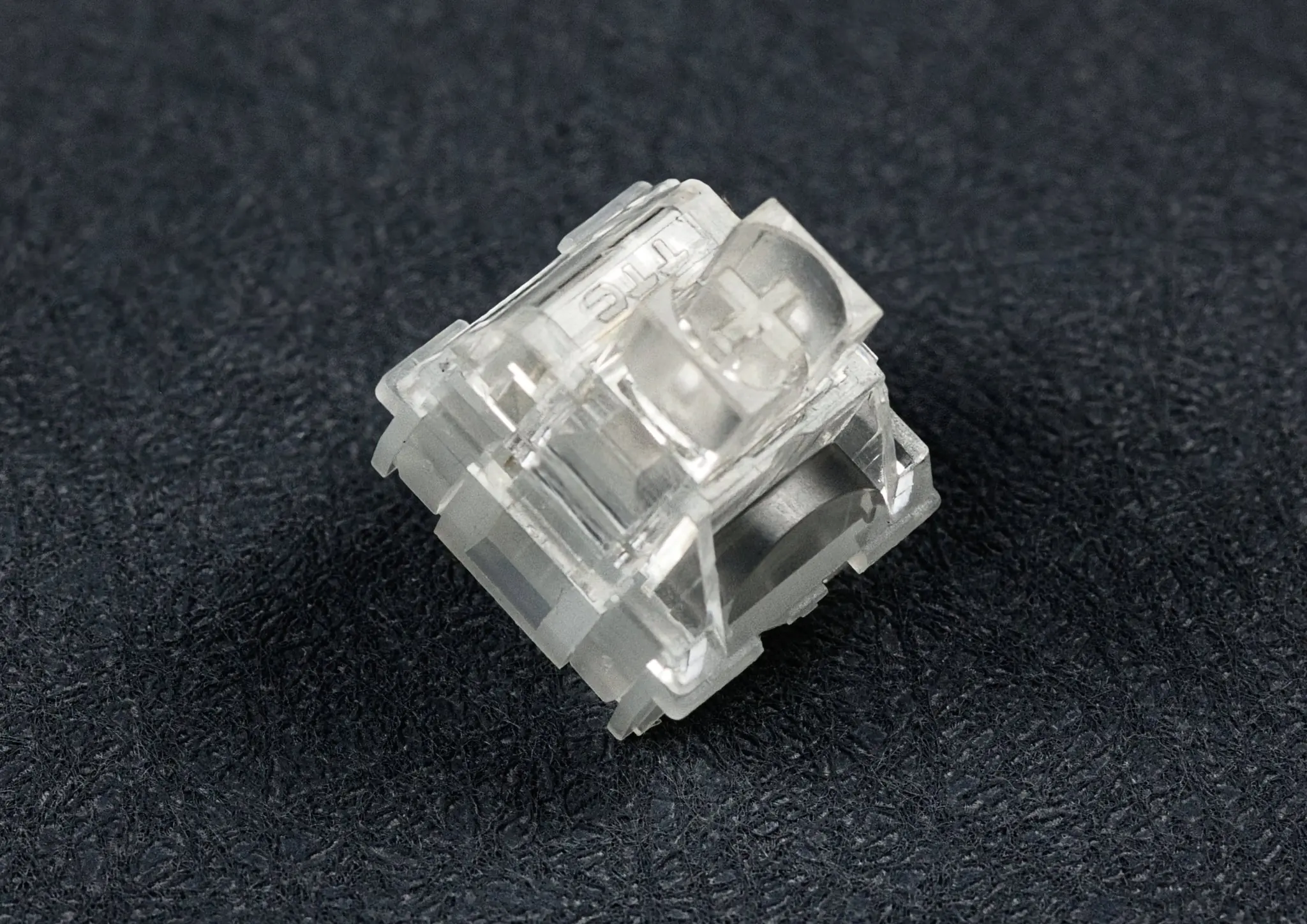
Mechanical keyboards are popular because they offer something many standard keyboards cannot: a choice of typing feel. Some users prefer a smooth linear switch, others want tactile feedback, while some enjoy the distinctive sound of clicky switches.
But there is one common problem with traditional mechanical keyboards: noise.
If you work in a shared office, study late at night, live with roommates, or regularly stream games, the sound of dozens of mechanical switches being pressed can quickly become distracting. This is where silent keyboard switches come in.
Silent switches are designed to reduce the sound produced when a switch is pressed and released. They are available in both linear and tactile designs, allowing users to reduce keyboard noise without necessarily giving up the mechanical typing experience.
However, “silent” does not mean completely soundless. The keyboard case, keycaps, stabilizers, springs, desk surface, and even typing technique can all affect the final sound.
So, are silent keyboard switches worth buying? And should you choose silent linear or silent tactile switches?
This guide explains how silent keyboard switches work, how they compare with conventional switches, and which type may make the most sense for gaming, office work, and everyday typing. If you want ready-made picks, our roundup of the top silent switches for 2026 is a good companion.
What Are Silent Keyboard Switches?
Silent keyboard switches are mechanical switches designed with additional noise-reduction features.
A conventional mechanical switch can create sound at several points during a keystroke. The keycap and stem move downward, the stem reaches the bottom of the switch housing, and the switch returns upward after the key is released. Those impacts can produce the familiar “clack” associated with mechanical keyboards.
Silent switches use a damping mechanism to reduce some of these impact sounds.
For example, CHERRY’s MX Silent Red uses an integrated damping design intended to reduce operating noise while retaining a linear switching characteristic. The current MX2A Silent Red is rated at 45 cN actuation force, 1.9 mm pre-travel, and 3.7 mm total travel.
The exact design differs between manufacturers. Some silent switches use silicone or other soft materials to absorb impact, while newer designs may use modified stem geometry to reduce the energy created during bottom-out and top-out.
This distinction matters because the damping mechanism can influence not only sound, but also how a switch feels.
A silent switch may therefore feel softer or slightly more cushioned than a comparable non-silent switch. Some newer designs attempt to reduce this trade-off and preserve a firmer mechanical feel.
In simple terms:
Regular mechanical switch = mechanical feel + more noticeable impact sound
Silent mechanical switch = mechanical feel + reduced impact sound
If you want to explore different options, you can also browse a dedicated selection of silent keyboard switches and compare their characteristics before choosing a switch.
How Do Silent Keyboard Switches Reduce Noise?
The biggest difference is usually found inside the switch.
When a standard switch bottoms out, the stem and housing can collide directly. When the key returns, another impact can occur at the top of the switch. Silent switches introduce a damping mechanism or modified geometry to reduce the force and sound generated by these impacts.
There are several approaches:
Silicone dampers: Soft materials absorb part of the impact.
Stem dampening: The switch stem is designed with integrated dampening elements.
Relief-cut designs: Modified stem rails can distribute impact forces rather than relying entirely on silicone.
Spring and housing optimization: Some switches are designed to reduce additional noises such as spring ping.
CHERRY, for example, describes its MX Silent Red as using patented damping technology to minimize operating noise.
This is also why silent switches can sound different from one another. Two switches may both be marketed as “silent” but use completely different internal designs.
The result can range from a soft, muted sound to a slightly deeper mechanical sound that is still clearly audible.
Why Are Silent Keyboard Switches So Popular?
The popularity of silent keyboard switches is closely connected to where people use computers.
Consider someone working in an open office. They may type thousands of words throughout the day while sitting next to coworkers. A loud mechanical keyboard may not bother the person typing, but the repeated sound can be noticeable to people nearby.
Research on office environments has found that workplace noise can affect concentration. One study of 88 employees found that 99% reported some impairment in concentration from components of office noise.
Another study examining computer rooms found that keyboard sounds were among the contributing sources of annoyance in environments where concentration was important.
This does not mean that everyone needs a silent keyboard. Rather, it explains why reducing unnecessary keyboard noise can be useful in shared environments.
Silent switches are particularly attractive to:
Office workers
Students
Remote workers
Streamers
Gamers who use open microphones
People sharing a bedroom or workspace
Nighttime computer users
Anyone who prefers a quieter typing environment
Are Silent Keyboard Switches Really Silent?
No—not in the literal sense.
Even a well-dampened switch can produce some sound. The keycap still moves, the spring still moves, and the switch still interacts with the keyboard’s plate and PCB.
The keyboard itself also matters. Stabilizers on large keys such as Space, Enter, Shift, and Backspace can create noticeable noise even when the switches are very quiet. Upgrading or tuning your keyboard stabilizers can help here.
PC Gamer’s hands-on experience with CHERRY MX Silent switches also illustrates this point: the switches substantially reduced the familiar mechanical clack, but they did not eliminate sound completely.
Think of “silent” as noise-reduced, rather than “completely silent.”
What Are the Benefits of Using Silent Switches?
The main benefit is simple: less disruptive typing noise.
For an office worker, quieter switches may make a shared desk environment more comfortable. For a streamer, they can reduce the amount of keyboard noise picked up by a microphone. For someone gaming at night, they can make repeated key presses less noticeable to people nearby.
Silent switches can also let users keep the mechanical characteristics they enjoy while reducing the acoustic side effect.
The trade-off is that some silent switches have a softer or more cushioned bottom-out feel than conventional switches. Whether that is an advantage or disadvantage depends largely on personal preference.
What Types of Silent Keyboard Switches Are Available?
Most silent mechanical switches can be divided into two major categories:
Silent linear switches
Silent tactile switches
The fundamental difference is the same as with regular mechanical switches: how the switch feels during the press.
What Are Silent Linear Switches?
Silent linear switches have a smooth keypress without a tactile bump.
The resistance generally increases smoothly as the switch moves downward, making linear switches popular among gamers and users who prefer uninterrupted key movement.
A classic example is the CHERRY MX Silent Red. It uses a linear switching characteristic and a 45 cN operating force. If you prefer smooth, bump-free typing, browse our full range of linear switches — a popular in-stock silent linear option is the OUTEMU Silent Honey Peach V3 Pro.
Silent linear switches are often a good starting point if your priorities are:
Smooth keypresses
Low operating noise
Fast repeated inputs
Gaming
Quiet office environments
However, the exact feel can vary significantly between models. Some are very soft, while others are designed to provide a more solid bottom-out sensation.
What Are Silent Tactile Switches?
Silent tactile switches add a tactile bump to the keypress while still reducing the sound produced by the switch. You can explore tactile switches here; a well-stocked silent tactile pick is the OUTEMU Silent Lime V3 Pro.
The bump gives your fingers physical feedback when the switch reaches its actuation point. This can be useful for people who type frequently and prefer to feel each keypress rather than relying only on visual feedback.
Modern silent tactile designs have improved considerably. RTINGS notes that newer silent tactile switches can retain more of the characteristic tactile feedback while keeping noise relatively low.
Different designs can feel dramatically different. Some have a subtle bump, while others provide a stronger, sharper tactile response.
What Is the Difference Between Silent Linear and Silent Tactile Switches?
The easiest way to understand the difference is to focus on feedback.
| Feature | Silent Linear | Silent Tactile |
| Key feel | Smooth | Noticeable bump |
| Noise | Usually very low | Usually low |
| Feedback | Minimal | Physical tactile feedback |
| Gaming | Often preferred | Good for some gamers |
| Typing | Smooth and consistent | More feedback per keypress |
| Best for | Gaming, smooth typing | Typing, programming, mixed use |
If you like the smooth feeling of switches such as Red switches, a silent linear may be the natural choice. For a deeper comparison, see our guide on linear vs tactile switches.
If you enjoy the feedback of Brown-style or other tactile switches but want less noise, a silent tactile switch may be more appropriate.
How Do Silent Keyboard Switches Compare With Regular Switches?
The word “silent” describes acoustic behavior, while terms such as linear, tactile, and clicky describe switch characteristics.
That means a silent switch should not be considered a completely separate switch category. Instead, it is better understood as a quieter version of a particular switch design.
Silent vs. Linear Switches
A standard linear switch is already quieter than a clicky switch because it does not have a dedicated click mechanism.
However, it can still produce significant bottom-out and top-out sounds.
A silent linear switch adds damping to reduce these impact noises.
For example, CHERRY describes the MX Silent Red as a linear switch with reduced operating noise compared with conventional MX designs.
If you like the smooth feel of linear switches but want a quieter keyboard, silent linear switches are worth considering.
Silent vs. Tactile Switches
Traditional tactile switches provide a physical bump but do not necessarily produce the sharp sound associated with clicky switches.
Silent tactile switches take this idea further by adding mechanisms intended to reduce impact noise.
The challenge is maintaining a clear tactile bump while making the switch quieter. RTINGS notes that damping can soften tactile feedback, which makes the design of a good silent tactile switch more complicated.
Newer designs can provide a more balanced combination of tactility and reduced noise.
Silent vs. Clicky Switches
Clicky switches are intentionally designed to create audible feedback.
If you enjoy a strong acoustic response, clicky switches may be satisfying. But they are generally a poor match for situations where other people need a quiet environment.
Silent switches take the opposite approach. They prioritize reducing acoustic output while retaining either a linear or tactile mechanical feel.
For shared offices, bedrooms, libraries, or microphone-heavy setups, silent switches are usually the more practical choice.
Are Silent Keyboard Switches Good for Gaming and Typing?
Silent keyboard switches can work well for both gaming and typing, but the best choice depends on your priorities.
There is no universal “best” switch because typing feel is highly personal.
Are Silent Switches Good for Gaming?
Yes, particularly if you play games at night, share a room, or use a microphone.
Linear silent switches are especially common in gaming-oriented builds because their smooth movement makes repeated key presses feel consistent.
Silent switches can also help streamers. PC Gamer specifically noted that keyboard clacking can become distracting when picked up by a microphone during gameplay.
However, sound is not the only consideration. Actuation force, travel, spring weight, keycap profile, stabilizers, and personal preference all affect gaming performance.
If you mainly play fast-paced games, a smooth silent linear switch is a reasonable place to start.
Are Silent Switches Good for Office and Work?
This is one of the strongest use cases for silent keyboard switches.
Imagine typing in a shared office while three coworkers are on calls. A keyboard that produces less bottom-out noise is unlikely to eliminate every sound, but it can reduce one repetitive source of background noise.
Office noise research has repeatedly associated unwanted sound with concentration difficulties. One field study found that approximately 70% of surveyed workers in shared and open-plan offices identified difficulty concentrating as a main consequence of irrelevant speech noise.
For office users, a silent tactile switch may be particularly appealing because it combines quieter operation with physical typing feedback.
For users who prioritize maximum smoothness, a silent linear switch may be the better fit.
How to Choose the Right Silent Keyboard Switch
Before buying a full set, think about how and where you actually use your keyboard.
1. Consider Your Typing Style
If you press keys gently and rarely bottom out, almost any decent switch may sound relatively quiet.
If you type heavily and frequently bottom out the keys, the damping characteristics of the switch become more important.
2. Choose Between Linear and Tactile
Ask yourself one simple question:
Do I want to feel a bump when I press a key?
No → Try a silent linear switch.
Yes → Try a silent tactile switch.
3. Consider Your Environment
A home office gives you more freedom than a shared office or bedroom.
For shared environments, prioritize lower acoustic output.
For a private gaming room, you may care more about switch feel than absolute noise reduction.
4. Do Not Ignore the Keyboard Itself
Switches are only one part of a keyboard’s sound profile.
Keycaps, plate material, PCB construction, stabilizers, case design, desk surface, and even the way you type can change the final acoustic result. Swapping your keycaps or adding a desk mat can also make a noticeable difference.
This is why the same silent switches can sound noticeably different in two keyboards.
5. Try Before Buying a Full Set
If possible, test a few switches first.
This is especially important for silent tactile switches because the damping mechanism can change the bottom-out sensation.
CHERRY, for example, offers an MX Experience Box containing multiple switch types, including silent, linear, tactile, and clicky variants, allowing users to compare different characteristics before committing to a complete keyboard build.
Conclusion
Silent keyboard switches are designed for people who want the mechanical keyboard experience without as much of the traditional mechanical keyboard noise.
They can be particularly useful in offices, shared rooms, study spaces, nighttime setups, and streaming environments.
The two most important choices are silent linear vs. silent tactile.
Silent linear switches generally provide a smooth and consistent keypress, making them a popular option for gaming and users who prefer uninterrupted movement.
Silent tactile switches add physical feedback while reducing much of the noise associated with traditional mechanical switches, making them attractive for typing, programming, and office work.
Most importantly, remember that “silent” does not mean completely soundless. Switch design, keycaps, stabilizers, case construction, desk surface, and typing technique all contribute to the final sound.
If your main goal is to create a quieter mechanical keyboard without giving up the feel of mechanical switches, silent keyboard switches are a practical place to start.
FAQs
Are silent keyboard switches completely silent?
No. Silent keyboard switches are designed to reduce noise rather than eliminate it completely. You may still hear the spring, keycap movement, stabilizers, housing, and other parts of the keyboard.
The exact sound level also depends on the switch design and how hard you press the keys.
Do silent keyboard switches feel different?
They can.
Some silent switches use soft damping materials that make bottoming out feel more cushioned than a conventional switch. Other newer designs use different stem geometries to reduce noise while maintaining a firmer mechanical feel.
If you are sensitive to typing feel, testing switches before buying a complete set can be worthwhile.
Are silent keyboard switches good for gaming?
Yes. Silent switches can be a good choice for gaming, particularly when you play in a shared room or use a microphone.
Silent linear switches are often a natural fit for gamers who prefer smooth key movement, while silent tactile switches can work well for players who want more physical feedback.
Are silent switches good for typing?
Yes. Both silent linear and silent tactile switches can work well for typing.
If you prefer a smooth keypress, choose a silent linear switch. If you want a noticeable bump that helps you feel each keystroke, consider a silent tactile switch.
Are silent tactile switches quieter than regular tactile switches?
Generally, that is their purpose. Silent tactile switches use damping or other design features to reduce impact noise while retaining tactile feedback.
However, the actual sound varies by model, keyboard construction, keycaps, and typing style.
Do silent switches need a special keyboard?
Not necessarily. Many modern mechanical keyboards use standardized switch mounting systems, but compatibility depends on the keyboard’s PCB, plate, switch type, and whether it is hot-swappable.
Always check compatibility before purchasing a new switch set.
Are silent switches worth it?
For many users, they can be.
They are especially worth considering if keyboard noise bothers people around you, if you work in a shared environment, or if you record audio while gaming.
If noise is not an issue, a regular linear or tactile switch may provide a more traditional mechanical feel and sound.
